创建durable function
部署durable function
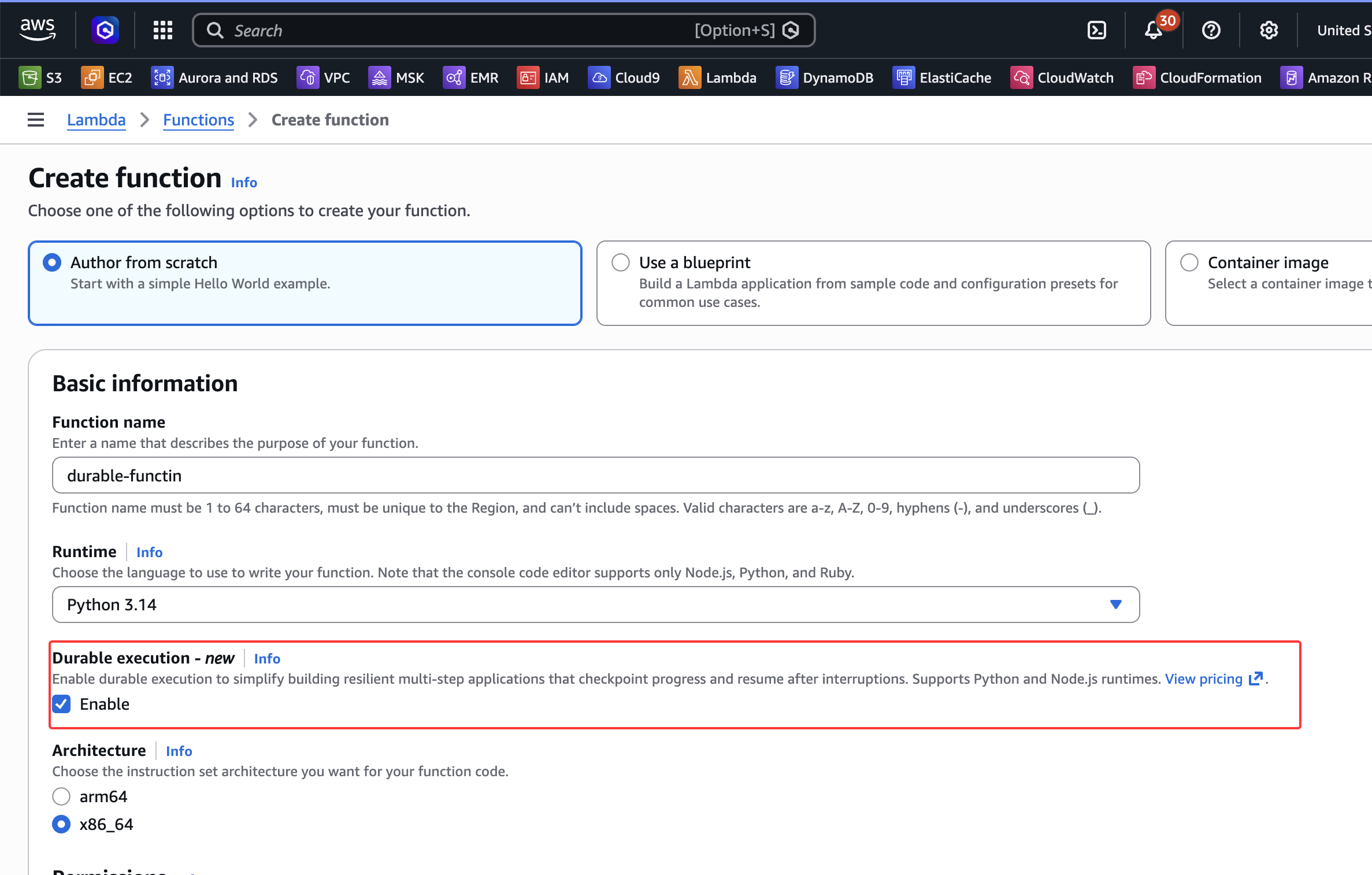
在创建lambda的时候,多了一个选项Durable Execution:
创建完成后, 更新函数主体如下:
from aws_durable_execution_sdk_python.config import Duration
from aws_durable_execution_sdk_python.context import DurableContext, StepContext, durable_step
from aws_durable_execution_sdk_python.execution import durable_execution
import random
import datetime

@durable_step
def create_order(context: StepContext):
    order_id = f"order-{random.randint(1, 100)}"
    context.logger.info(f"Creating order... : {order_id}")
    return {
        "order_id": order_id,
        "total": 50.00,
        "status": "Created"
    }

@durable_step
def send_notification(context: StepContext, order_id: str):
    context.logger.info(f"Sending notification...")
    return {
        "sent": True,
        "order_id": order_id,
        "recipient": "customer@example.com",
        "timestamp": datetime.datetime.now().isoformat()
    }

@durable_execution
def lambda_handler(event: dict, context: DurableContext) -> dict:

    # Step 1: Create the order
    order_details = context.step(create_order())
    context.logger.info(f"Order created: {order_details['order_id']}")

    # Step 2: Wait 1 minute (60 seconds)
    context.logger.info("Waiting 1 minute before sending notification...")
    context.wait(Duration.from_seconds(60))

    # Step 3: Send notification
    context.logger.info("Waited for 1 minute without consuming CPU.")
    notification_details = context.step(send_notification(order_details['order_id']))
    context.logger.info("Notification sent successfully...")

    return {
        "success": True,
        "notification": notification_details
    }
然后进行deploy。这个函数主要流程如下:

- Step:创建订单
- Wait:等待 1 分钟以处理延迟或外部系统集成
- Step:发送通知以确认订单完成
调用函数
创建并执行测试事件
- 选择 Test 选项卡,然后选择 Create new event。
- 为我们的测试事件命名,任何名称均可。
- 保留事件模板,然后选择 Save。
- 选择 Test 以调用我们的函数。
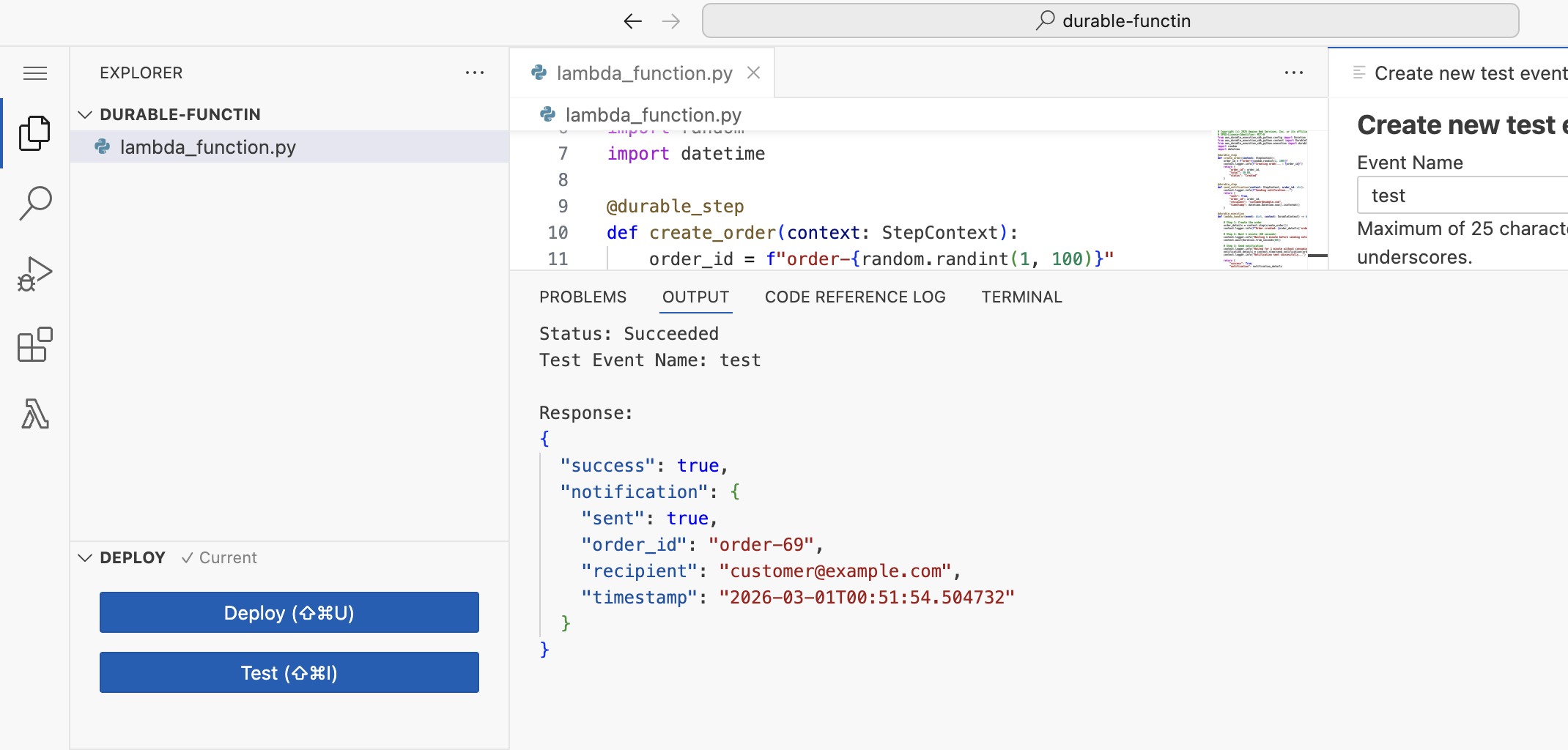
- 等待执行完成,然后我们可以在控制台中查看结果。
查看调用记录
导航到我们的 Lambda 函数控制台中的 Monitor 选项卡。选择 View CloudWatch logs 或直接前往 CloudWatch Logs 。查找日志组:
/aws/lambda/{your-function-name}
选择最新的日志流以查看详细的执行日志。
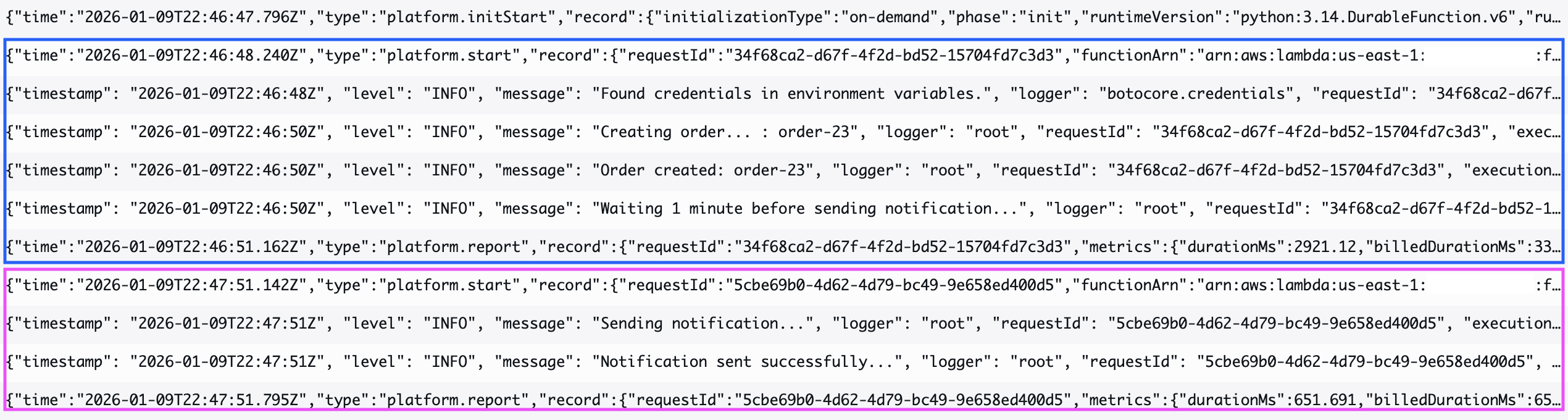
当我们的Durable functions开始执行时,它会处理初始逻辑并遇到 60 秒的等待期。函数的第一次调用会快速完成,在暂停之前持久化其状态。在指定的等待时间结束后,函数会自动从中断处恢复执行。
在下面的截图中,蓝色框表示函数启动并到达等待状态的第一次调用,而紫色框表示在 60 秒等待期结束后恢复函数执行的第二次调用。
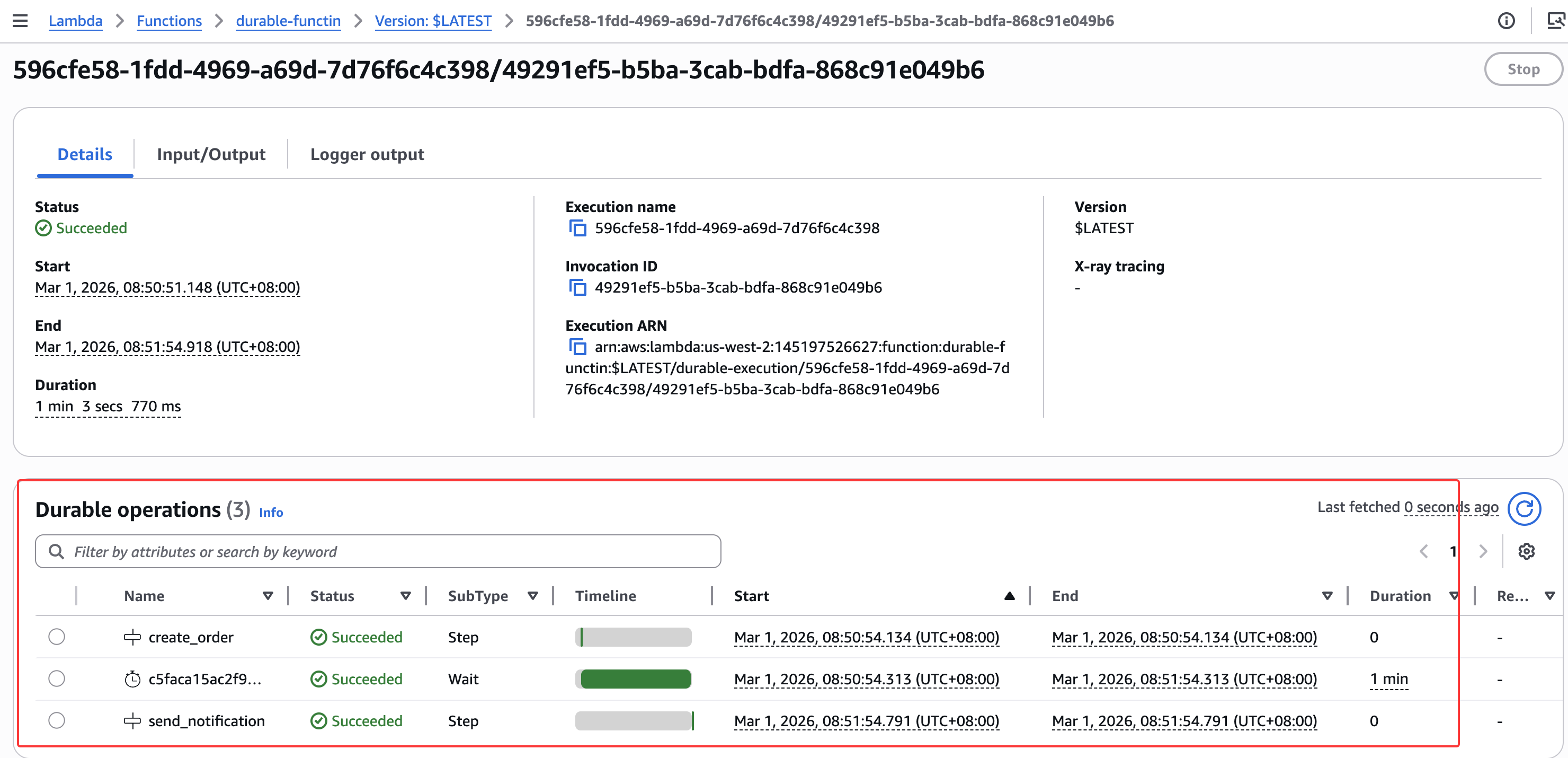
我们可以在 Durable executions 选项卡中查看执行进度。选择执行名称以查看详细信息。